The question “What’s for dinner?” is often the most stressful part of the day. Without a plan, we default to takeout or repetitive meals, draining both our wallets and our energy. The solution isn’t just “cooking more”—it’s creating a personalized calendar system that integrates your meal plan directly with your weekly routine.
A meal plan that ignores your schedule is destined to fail. If you plan a 2-hour roast chicken on a night when your kids have soccer practice until 7 PM, you won’t cook it. This guide will show you how to build a system that works with your life, not against it.
Step 1: Audit Your Weekly Rhythm
Before you choose recipes, you must understand your time constraints. Your calendar dictates your menu, not the other way around.
The “Energy Audit” Method:
Open your calendar and label each evening based on your available energy and time:
- High Energy (Green Days): Weekends or light workdays. You have 45+ minutes to cook.
- Medium Energy (Yellow Days): Standard workdays. You have 30 minutes max.
- Low Energy (Red Days): Late meetings, sports practice, or gym days. You have 15 minutes or need a hands-off meal (Slow Cooker/Instant Pot).
Step 2: Assign Themes to Reduce Decision Fatigue
Decision fatigue is the enemy of consistency. By assigning a “Theme” to each night, you narrow your choices from “anything in the world” to “one specific category.”
Example Routine:
- Monday (Yellow): Pasta/Italian (e.g., Spaghetti, Lasagna, Pesto Chicken)
- Tuesday (Red): Taco/Mexican (e.g., Tacos, Burrito Bowls, Quesadillas)
- Wednesday (Red): Slow Cooker/Soup (Set it in the morning, ready at night)
- Thursday (Yellow): Sheet Pan Meals (One pan, easy cleanup)
- Friday (Red): Pizza/Takeout Night (Give yourself a break)
- Saturday (Green): Grill or Experiment (Try a new recipe)
- Sunday (Green): Roasts & Meal Prep (Cook a large protein for the week)
Step 3: Create Your “Master Meals” List
Stop searching Pinterest every week. Create a “Master List” of 20-30 meals your family actually likes and knows how to cook. Categorize them by the Energy Levels from Step 1.
When you sit down to plan, simply drag and drop these proven winners into your calendar slots. This turns planning from a 1-hour chore into a 5-minute task.
Step 4: The 2-in-1 Calendar System
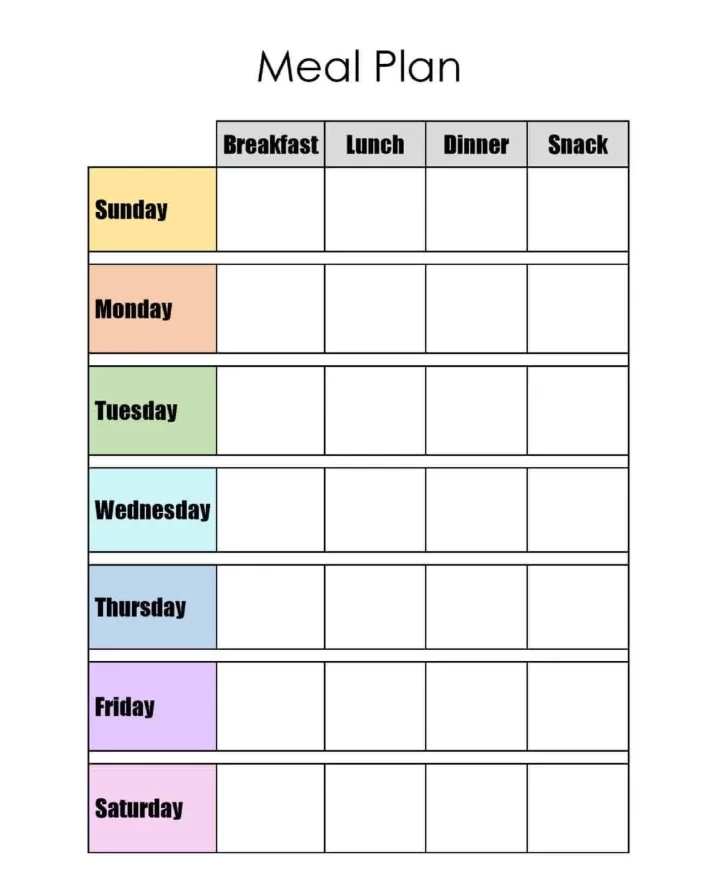
Don’t keep your meal plan separate from your life plan. Integration is key. Here is a simple text-based template you can copy into Notion, Google Docs, or print out.
Weekly Routine & Meal Planner Template
WEEK OF: __________________________

| Day       | Schedule / Constraints       | Energy Level | Meal Plan Menu          | Prep/Defrost Tasks        |
|-----------|------------------------------|--------------|-------------------------|---------------------------|
| MONDAY    | Work late (home @ 6pm)       | [YELLOW]     | _______________________ | Defrost chicken AM        |
| TUESDAY   | Soccer Practice (5-7pm)      | [RED]        | _______________________ | Pre-chop veggies Sunday   |
| WEDNESDAY | Free evening                 | [GREEN]      | _______________________ | _________________________ |
| THURSDAY  | Gym night                    | [RED]        | _______________________ | Set Slow Cooker AM        |
| FRIDAY    | Family Movie Night           | [LOW]        | Homemade Pizza / Takeout| Make dough Thursday       |
| SATURDAY  | Farmers Market AM            | [GREEN]      | _______________________ | _________________________ |
| SUNDAY    | Church / Laundry             | [YELLOW]     | Big Batch: ____________ | Chop veggies for Mon/Tue  |

GROCERY LIST:
[ ] Produce: ________________________________________________
[ ] Protein: ________________________________________________
[ ] Pantry:  ________________________________________________
Step 5: The “Sunday Reset” Ritual
The system only works if you maintain it. Designate 20 minutes every weekend for the “Sunday Reset”:
- Check the family calendar for next week’s Red/Yellow/Green days.
- Slot in meals from your Master List based on energy levels.
- Write the grocery list immediately while looking at the recipes.
- Do “Micro-Prep”: Wash fruit, chop onions, or marinate meat immediately after shopping.
Conclusion
A personalized calendar system for meal planning isn’t about becoming a gourmet chef; it’s about becoming an organized project manager of your home. By matching your meals to your reality, you eliminate the daily stress of decision-making and ensure that even on your busiest Tuesday, a healthy dinner is part of the plan.
