Integrating calendar design with personal finance management creates a powerful visual system for tracking expenses, budgeting milestones, and financial goals. Strategic color and layout combinations transform calendars from scheduling tools into comprehensive financial planning systems. This guide explores design principles, color psychology, and layout strategies specifically optimized for personal finance tracking and budgeting in 2025.
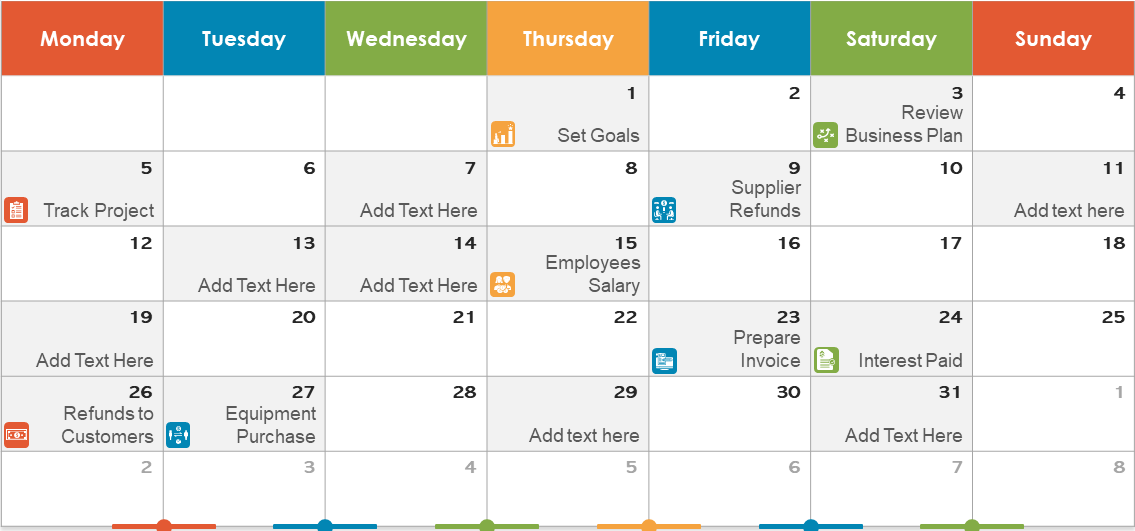
Why Calendars Matter for Financial Planning
- Bill due date visibility: Color-coded bills prevent missed payments and late fees.
- Budget tracking timeline: Visual representation of spending patterns across months and quarters.
- Financial goal progress: Calendar-based milestones maintain accountability and motivation.
- Income cycle management: Track recurring income against expenses for cash flow planning.
- Investment and savings windows: Identify optimal times for contributions based on financial patterns.
Color Coding Strategy for Personal Finance Calendars
The Traditional Finance Color Scheme (5 Colors)
- Red: Bills and mandatory expenses due dates
- Green: Income deposits and paychecks
- Blue: Savings contributions and investment dates
- Orange: Discretionary spending or subscription renewals
- Purple: Financial review and planning sessions
Rationale
This scheme leverages color psychology: red signals alerts (bills), green represents growth and income, blue conveys stability (savings), orange indicates caution (discretionary), and purple represents reflection (planning).
The Priority-Based Scheme (6 Colors)
- Dark Red: Critical bills (mortgage, utilities, insurance)
- Light Red: Optional bills and subscriptions
- Dark Green: Regular income sources
- Light Green: Bonus or irregular income
- Blue: Debt reduction and loan payments
- Gold: Investments and wealth-building activities
Rationale
Distinguishing critical from optional expenses enables quick visual assessment of financial obligations. Darker shades indicate higher priority or fixed commitments.
The Spending Category Scheme (7+ Colors)
- Red: Housing (rent/mortgage)
- Orange: Utilities and essential services
- Yellow: Groceries and food
- Green: Transportation
- Blue: Healthcare and insurance
- Purple: Entertainment and dining out
- Pink: Shopping and discretionary purchases
- Gray: Savings and investments
Rationale
This comprehensive scheme allows detailed expense tracking by category, enabling detailed budget analysis and spending pattern recognition.
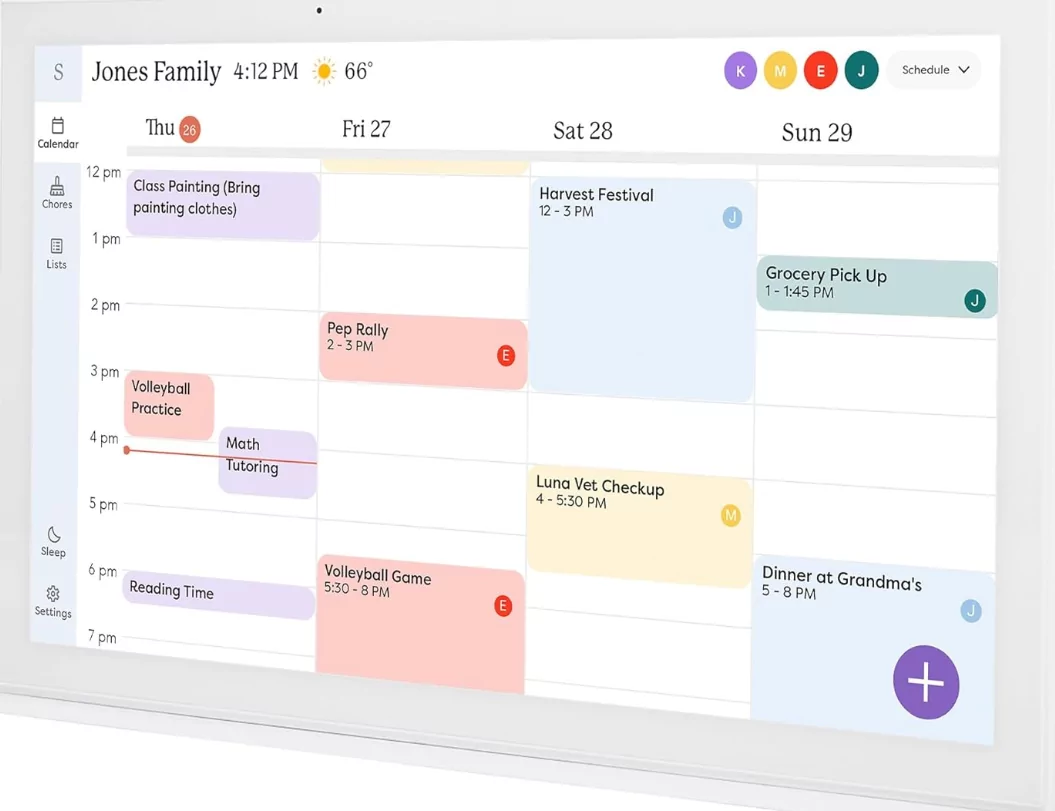
Layout and Design Combinations
Layout 1: Monthly Grid with Spending Categories
Best For: Budget-conscious individuals tracking daily expenses
- Large monthly grid with dates clearly visible
- Each day shows estimated spending by color-coded category
- Weekly totals in margin for quick reference
- Month-end summary showing budget vs. actual
Implementation Tips
- Use digital calendars (Google, Notion) for easy updates
- Add small icons (🛒 shopping, 🍽️ dining) for quick scanning
- Include a legend at calendar top for color reference
Layout 2: Financial Timeline View
Best For: Multi-income households or complex financial situations
- Horizontal timeline spanning entire quarter or year
- Income events shown at top
- Major bills and expenses below income line
- Color intensity indicating expense size relative to income
Implementation Tips
- Use Asana, Monday.com, or Excel timeline view
- Proportional event sizes showing relative financial impact
- Projection lines showing anticipated balances
Layout 3: Goal-Oriented Calendar
Best For: Individuals pursuing specific financial goals (debt payoff, saving targets)
- Goal header showing target amount and deadline
- Monthly contribution amounts highlighted
- Progress indicators (percentage bars) on each month
- Milestone celebrations marked prominently
Implementation Tips
- Create dedicated calendar for each major goal
- Use celebratory colors (gold, bright green) for milestones
- Include motivational notes and progress tracking
Layout 4: Minimalist Budget Calendar
Best For: Simple budgets with few categories and recurring expenses
- Clean, uncluttered design with ample whitespace
- Only essential dates marked (bills, income, major expenses)
- Consistent color palette (2-3 colors maximum)
- Simple black and white printable format
Implementation Tips
- Use monochrome with single accent color
- Minimal text; icons and numbers only
- Easy to print and maintain
Advanced Design Techniques
Color Intensity for Budget Status
- Solid colors: Confirmed expenses and income
- Pastel shades: Projected or estimated amounts
- Striped patterns: Recurring or tentative entries
Icon Integration
Combine colors with financial icons for enhanced visual recognition:
- 💰 Income or savings
- 💳 Bills and mandatory payments
- 🛍️ Shopping and discretionary spending
- 🎯 Financial goals and targets
- ⚠️ Budget alerts or overspending warnings
Heatmap Effect
Use color intensity to show spending heat across the month:
- Light colors: Low spending days
- Medium colors: Moderate spending days
- Dark colors: High spending days
This visualization quickly identifies spending spikes and patterns.
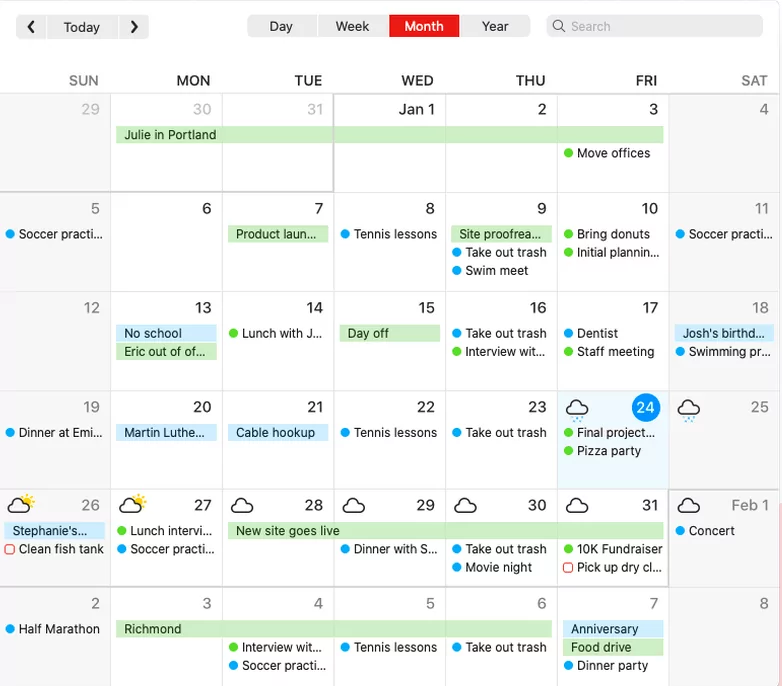
Best Practices for Financial Calendar Design
- Establish clear legend: Include printed reference guide defining all colors and symbols.
- Update consistently: Maintain calendar discipline; weekly updates prevent backlog and inaccuracy.
- Print and digital hybrid: Use printable wall calendar for visibility plus digital version for portability.
- Share appropriately: For couples, create shared calendars with agreed-upon symbols and privacy considerations.
- Review regularly: Monthly and quarterly financial calendar reviews identify trends and adjustment opportunities.
Digital Tools for Finance Calendar Design
- Google Calendar: Free, color-coded, shareable; ideal for basic financial tracking
- Notion: Customizable databases combining calendars with budget tracking and expense logging
- Spreadsheet Templates (Excel/Google Sheets): Maximum flexibility for custom layouts and formulas
- YNAB (You Need A Budget): Finance-specific app with calendar views and budget tracking
- Mint or Personal Capital: Integrated calendar and expense tracking with automated categorization
Sample Monthly Finance Calendar Design
| November 2025 Finance Calendar | ||||||
|---|---|---|---|---|---|---|
| Sun | Mon | Tue | Wed | Thu | Fri | Sat |
| 1 | 2 | |||||
| 3 | 4💰 Paycheck | 5 | 6 | 7 | 8 | 9 |
| 10 | 11 | 12💳 Rent | 13 | 14 | 15 | 16 |
| 17 | 18 | 19 | 20 | 21 | 22 | 23 |
| 24 | 25 | 26🎬 Subscriptions | 27💰 Savings | 28 | 29 | 30 |
Conclusion
Strategic calendar design combining thoughtful color schemes and optimized layouts transforms personal finance management from tedious administrative task into engaging visual system. Whether tracking monthly budgets, planning debt payoff, or monitoring savings goals, well-designed financial calendars provide clarity, accountability, and motivation. By selecting appropriate color psychology, layout structures, and digital tools that match your financial complexity and personal style, you create a financial calendar system that supports sustained budgeting discipline and progress toward financial goals throughout 2025 and beyond.
