Creating a printable calendar tailored for students and college students combines practical scheduling with aesthetic appeal, ensuring functionality without overwhelming complexity. In 2026, academic calendars must accommodate semester structures, exam periods, assignment deadlines, and extracurricular activities while remaining visually clean for desktop or wall display. This guide provides step-by-step instructions for designing neat, printer-friendly calendars using free tools like Canva, Google Docs, and Excel templates.
Student calendars differ from general planners by emphasizing academic timelines: semester start dates, reading weeks, exam periods, and holiday breaks. Printer-friendly designs prioritize high contrast, ample writing space, and ink-efficient layouts to accommodate frequent updates and replacements throughout the academic year. Customizable templates from sources like CalendarLabs and Vertex42 offer starting points for personalization.

Understanding Student Calendar Requirements
College calendars require specific features: semester overviews showing fall (August-December) and spring (January-May) terms, plus summer sessions. Include key academic dates: registration periods, drop/add deadlines, midterms, finals, and graduation ceremonies. Extracurricular integration covers club meetings, study groups, and internship schedules. Personal elements like birthdays, social events, and self-care appointments balance academic focus with well-being.
Printer-friendly considerations include black-and-white compatibility, avoiding heavy graphic elements, and ensuring legibility at standard print sizes (8.5×11 inches). Neat designs use consistent fonts, balanced spacing, and minimal decorative elements that don’t interfere with readability. Academic year calendars should cover August through July, aligning with school cycles rather than calendar years.
Digital-to-print hybrid approaches work best: design digitally for easy editing, print monthly or quarterly sections as needed. This reduces paper waste while maintaining up-to-date information. Cloud-based templates enable sharing with roommates or study groups for coordinated scheduling.
Choosing the Right Design Tools
Canva for Visual Design
Canva offers thousands of student-specific calendar templates with drag-and-drop editing capabilities. Search “student calendar” or “academic planner” to find pre-designed layouts featuring clean grids, color-coded semester blocks, and motivational quotes. Free templates include basic functionality; premium elements add decorative borders or icons without compromising printer-friendliness.
Customize Canva templates by adjusting colors to school brand guidelines or personal preferences: navy blue and gold for traditional universities, vibrant colors for creative programs. Add academic-specific sections: “Assignments Due,” “Exam Schedule,” “Study Group Meetings.” Export as PDF for high-quality printing on any home or campus printer.
Google Docs and Sheets for Functionality
Google Sheets provides spreadsheet-based calendar templates from Smartsheet, ideal for data-driven students tracking grades, assignments, and deadlines. Monthly templates include columns for class names, due dates, and priority levels. Portrait and landscape options accommodate different printing needs: portrait for binders, landscape for desk reference.
Google Docs offers word processor-based calendars with flexible text formatting. Insert tables for grid layouts, add headers for months, and include checklists for task management. Cloud synchronization ensures access from campus computers, home printers, or mobile devices. Free templates cover 2026 academic years with pre-filled semester dates.
Excel Templates from Vertex42
Vertex42’s Excel templates emphasize functionality: light and bold designs, ink-saver versions, and large print options. Academic calendars include semester overviews, monthly breakdowns, and yearly references. Editable cells allow adding class schedules, professor office hours, and library reservation times.
Excel’s formula capabilities enable automatic date calculations: exam countdowns, assignment reminders, and semester progress tracking. Print settings optimize for black-and-white output while maintaining grid visibility. Templates support multiple worksheets: one for each semester, another for extracurriculars, and a master overview.
Designing the Layout Structure
Start with yearly overview: one-page layout showing August 2026 through July 2027, highlighting fall semester (August-December), winter break, spring semester (January-May), and summer terms. Color-code semesters: blue for fall, green for spring, yellow for summer. Include key academic dates: fall break (October 9-13), Thanksgiving break (November 26-27), spring break (March 9-13), finals weeks (December 8-14, May 4-10).
Monthly layouts provide detailed planning: large date boxes (at least 1-inch squares) for writing assignments, exams, and social events. Include side panels for weekly goals, to-do lists, and notes. Academic calendars should note school-specific events: orientation (August 18-22), registration (April 7-11), commencement (May 17). Leave ample margins for three-hole punching into binders.
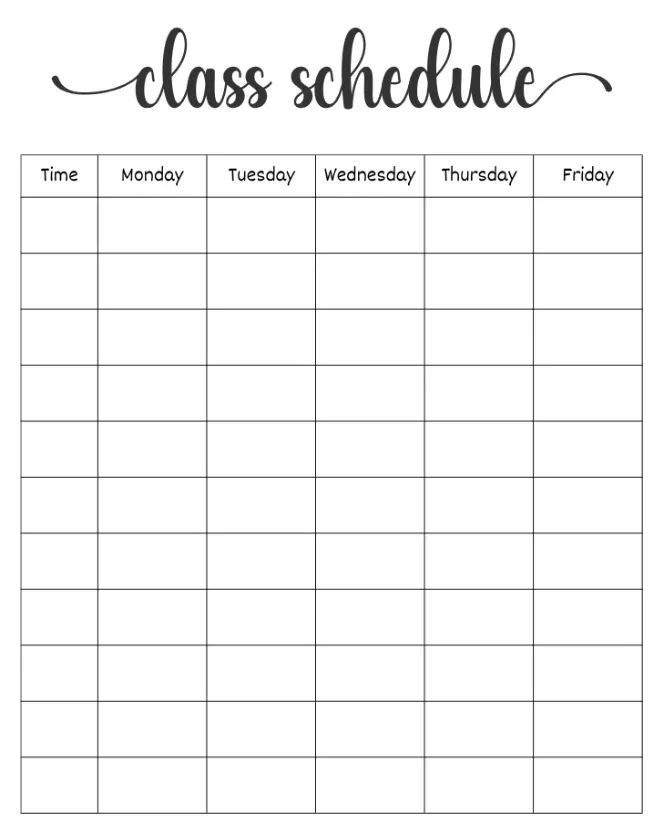
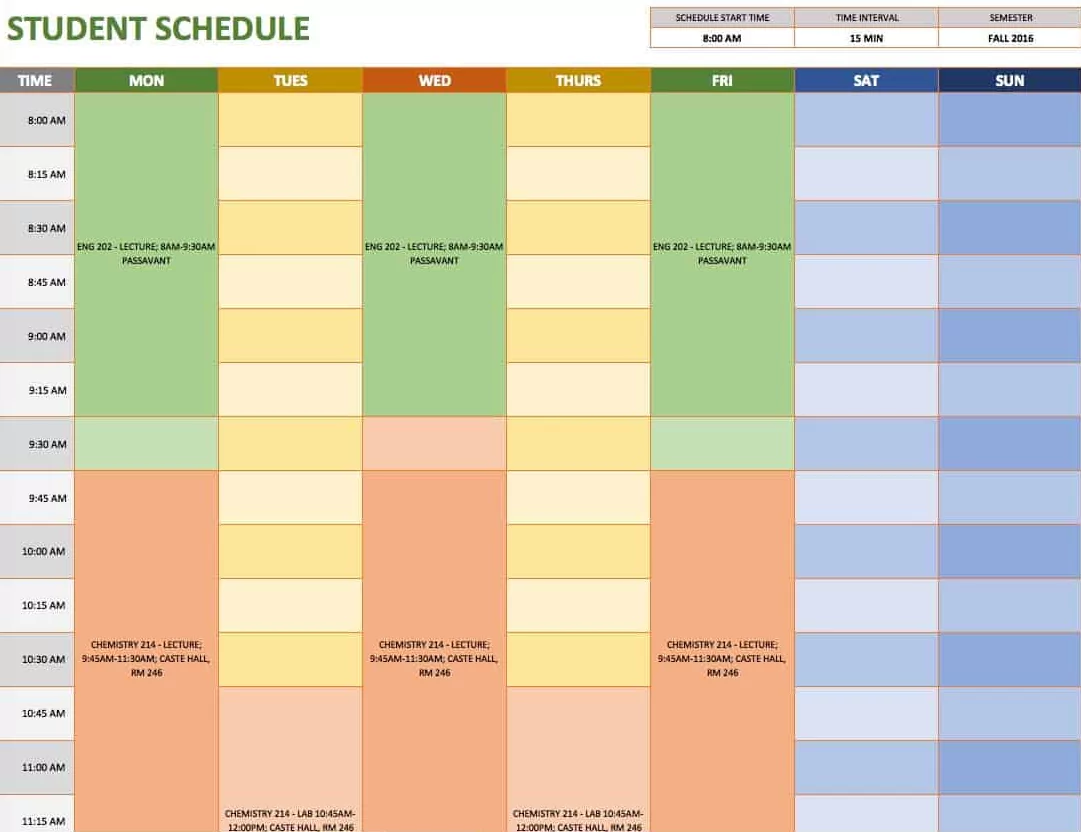
Weekly views support detailed scheduling: hourly blocks from 8 AM to 10 PM covering class times, study sessions, and meals. Include blocks for sleep (11 PM-7 AM) emphasizing student well-being. Printer-friendly weekly layouts use thin lines and high-contrast text, avoiding background colors that consume ink.
| Layout Type | Best For | Key Features | Print Considerations |
|---|---|---|---|
| Yearly Overview | Semester planning | Semester blocks, key dates | Landscape, black/white compatible |
| Monthly Detail | Assignment tracking | Large date boxes, side notes | Portrait, 1-inch margins |
| Weekly Schedule | Daily classes | Hourly blocks, to-do lists | Legal size paper, thin lines |
| Semester Planner | Course organization | Class schedules, grade tracking | Multiple pages, tabbed sections |
Selecting Fonts and Typography
Choose sans-serif fonts for readability: Arial, Helvetica, or Calibri at 10-12 pt for body text, 14-16 pt for headers. Academic calendars benefit from clean typography avoiding decorative scripts that hinder legibility. Bold key dates (exams, deadlines) using 12 pt weight while maintaining regular text at 10 pt.
Consistent hierarchy improves navigation: month names in 18 pt bold, day names in 12 pt bold, dates in 11 pt regular. Color coding supports hierarchy without ink waste: black for standard text, dark gray for secondary information, blue for academic events. Avoid light colors that fade in printing.
Line spacing at 1.15-1.5 ensures readability while maximizing space efficiency. Academic calendars require balanced white space: 20-30% empty areas prevent cluttered appearance. Test print samples to verify font clarity at intended print size.
Incorporating Academic and Personal Elements
Pre-fill semester dates: Fall 2026 (August 24-December 18), Spring 2027 (January 12-May 15). Note exam periods, registration windows, and financial aid deadlines. Include university-specific observances: convocation, career fairs, cultural events. Leave space for course-specific information: syllabus dates, professor contact details.
Personal sections balance academics: weekly reflection prompts, self-care reminders, social event planning. Include habit trackers for study routines, exercise schedules, and sleep patterns. Printer-friendly habit sections use simple checkboxes rather than complex graphics.
Extracurricular integration: club meeting times, volunteer schedules, internship deadlines. Create separate sections or color codes distinguishing academic from personal commitments. This visual separation prevents overwhelm while maintaining comprehensive planning.
Customization for Different Academic Levels
High school students benefit from parent-teacher conference dates, standardized testing schedules, and college application deadlines. Include sections for extracurricular applications, scholarship deadlines, and SAT/ACT registration dates. Simpler layouts suit younger students while maintaining functionality.
College students require advanced features: major-specific advising periods, graduate school application timelines, study abroad program dates. Include research presentation schedules, thesis deadlines, and professional development workshops. More complex layouts accommodate diverse academic paths.
Optimizing for Printer-Friendly Output
Use high-contrast color schemes: black text on white backgrounds, dark blue or gray accents. Avoid gradients, drop shadows, or background images that consume excessive ink. Test ink-saver versions printing gray elements as lighter shades or converting to grayscale automatically.
Standard paper sizes ensure compatibility: letter (8.5×11 inches) for binders, legal (8.5×14 inches) for weekly views. Set margins at 0.5-0.75 inches preventing content cutoff during printing. PDF export maintains formatting across different printers and paper types.
Print quality settings: “Standard” or “High” for body text, “Draft” for preliminary versions. Double-sided printing saves paper while creating booklets suitable for binders. Test prints on scrap paper verify alignment, font size, and overall legibility before final production.
Paper and Binding Options
Standard copy paper (20 lb) works for temporary calendars; 24 lb paper provides better durability for frequent handling. Recycled paper maintains environmental responsibility without compromising print quality. Matte finishes reduce glare in study environments.
Three-hole punch calendars fit standard binders, enabling easy reorganization and addition of notes. Spiral binding creates flip-style planners suitable for backpacks. Laminated covers protect against spills while maintaining writable surfaces with dry-erase markers.
Step-by-Step Creation Process
Step 1: Select base template from Canva, Google Sheets, or Vertex42 matching academic year format. Download or duplicate template to personal account. Step 2: Input academic calendar dates for your institution, verifying semester start/end dates, exam periods, and registration windows. Step 3: Customize colors and fonts maintaining printer-friendly specifications: sans-serif fonts, high contrast, minimal graphics.
Step 4: Add personal sections: weekly goals, habit trackers, self-care reminders. Include space for course syllabi, professor contact information, and campus resources. Step 5: Create multiple views: yearly overview, monthly details, weekly schedules. Ensure consistent formatting across all layouts.
Step 6: Test print sample pages verifying legibility, ink usage, and paper compatibility. Adjust margins, font sizes, or colors based on test results. Step 7: Print final version using optimal settings: high quality, correct paper type, double-sided where appropriate. Organize into binder or planner format.
Advanced Features for Power Users
Hyperlinked digital versions enable navigation between monthly views and yearly overviews. QR codes link to online syllabi, professor office hours, or campus event calendars. Integrated grade trackers calculate GPA projections and assignment weightings automatically.
Shared access for study groups: collaborative Google Sheets versions enable group project coordination, exam study schedules, and resource sharing. Version control tracks changes to group calendars preventing scheduling conflicts.
Mobile integration: QR codes or short links connect printed calendars to digital versions for on-the-go access. Calendar apps sync with printed versions through photographed updates or voice-to-text integration.
Troubleshooting Common Design Issues
Cluttered layouts: Reduce decorative elements, increase white space, simplify color schemes. Overly complex designs distract from functionality; prioritize information hierarchy over aesthetics. Legibility problems: Increase font sizes, improve contrast ratios, test print at intended size.
Ink waste: Convert colors to grayscale, remove background images, use solid colors instead of gradients. Printing alignment issues: Verify page margins, check printer settings, use PDF export for consistent formatting. Incomplete downloads: Save templates locally before editing, verify file integrity after customization.
Creating neat, printer-friendly calendars for students and college transforms academic planning from chaotic to organized. Using free tools like Canva, Google Sheets, and Vertex42 templates, students design functional layouts accommodating semester schedules, assignment deadlines, and personal well-being. Printer-friendly considerations ensure accessibility across different printing environments while maintaining professional appearance. Customizable designs adapt to individual academic paths, from high school organization to college-level complexity. Investing time in calendar creation yields dividends in reduced stress, improved time management, and academic success throughout 2026 and beyond.</p
